
Radiology Assistant
For UCSD studies, radiology has started two new EPIC chat groups to help streamline requests.
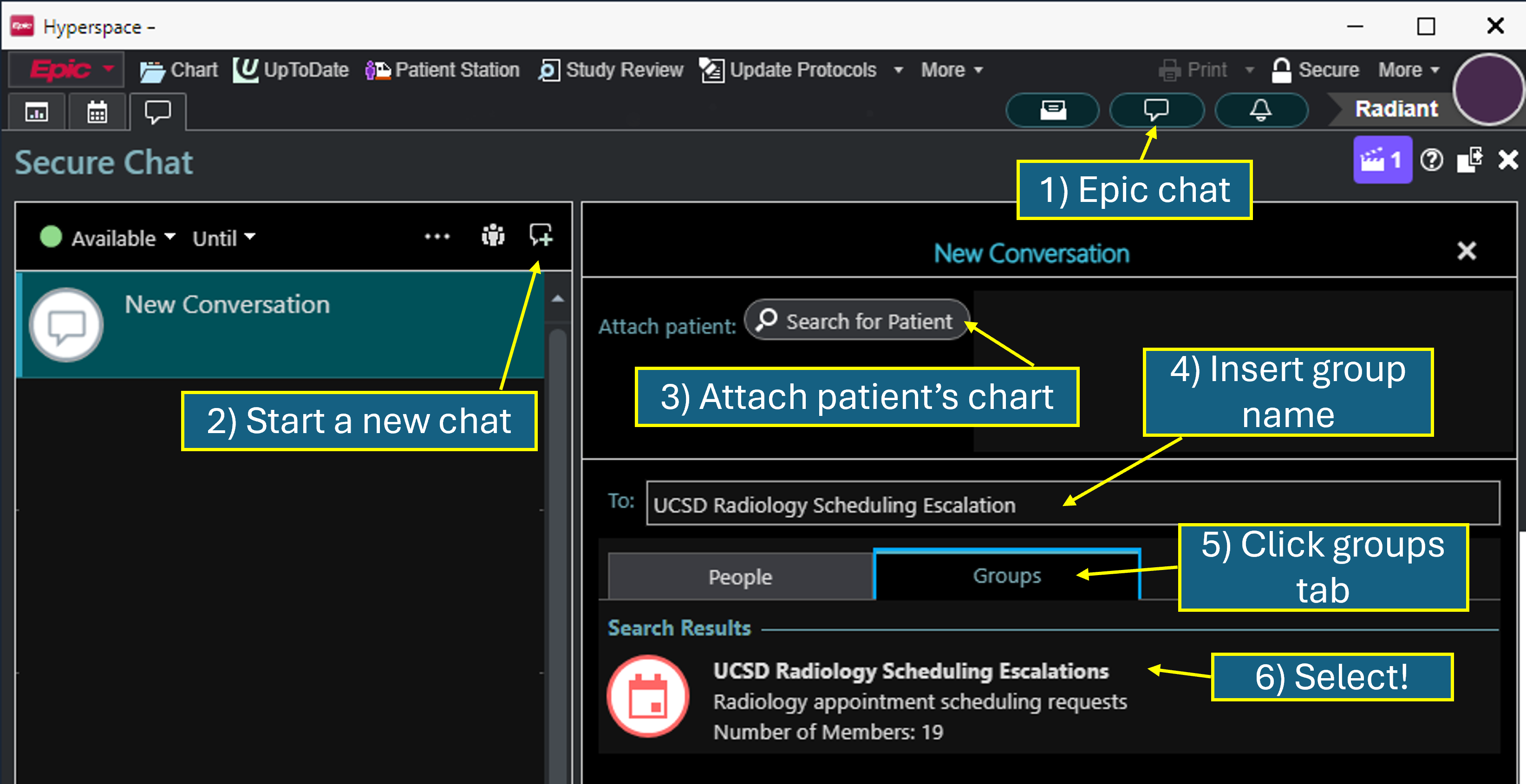
For patient scheduling or to escalate a study: Start an EPIC group chat with:
UCSD Radiology Scheduling Escalation
For priority reads or to request a second read: Start an EPIC group chat with:
UCSD Reading Room Assistant
How to Start an EPIC Group Chat
Open EPIC and click on the "Chat" tab. Click on the "New Chat" button and search for the group name you copied. Select the group and start a chat with them.